My name is Mariusz Brandt.
I have been involved in marketing for over 20 years. Since 2009, I have also been immersed in startups and technology. On mariuszbrandt.pl, I write about what I live and breathe: marketing, AI, family, education, cities, and ideas that are worth putting to the test in practice.
The Reading Room is a record of my life and philosophy. This article is its next chapter.
For about 16 years, I have lived with multiple sclerosis (MS). It started shortly after my wedding. We were expecting our daughter’s birth, and I suddenly began losing my sight. Balance issues, double vision, numbness, and subsequent relapses followed.
Working and running a company under such conditions can be fiercely challenging.
I benefit from medical cannabis therapy. I share my own personal experience, not medical advice. The disease remains the cause of many of my daily limitations and challenges.
I did not get through this alone. I persevered above all thanks to my immediate family.
Despite all of this, I never stopped inventing.
In recent years, I dove deeply into working with advanced AI models. It wasn’t about asking casual questions in a chat window. Together, we analyzed architectural solutions, wrote code, debugged complex bottlenecks, ran rigorous tests, and structured comprehensive documentation.
I conceptualized the project, made strategic decisions, assembled physical hardware, and tested everything in live practice. AI models became my force multiplier team.
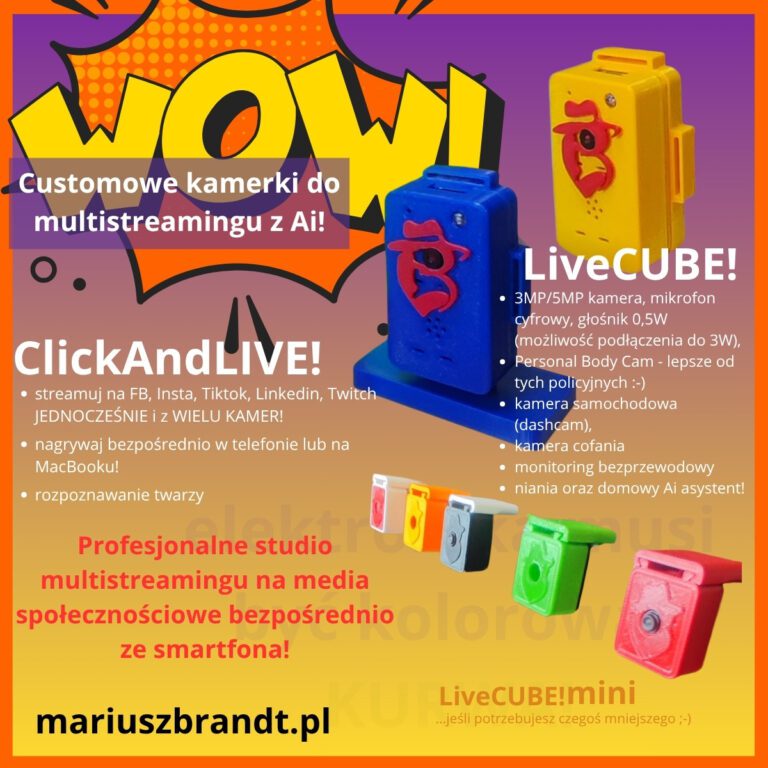
That is how LiveCUBE! was born — my wireless IoT camera — along with ClickAndLIVE!, an application for multi-source video capture and live broadcasting.
The app is officially approved and live on Google Play (Android) and the Apple App Store (for iPhone, iPad, and natively for Mac computers powered by Apple Silicon).
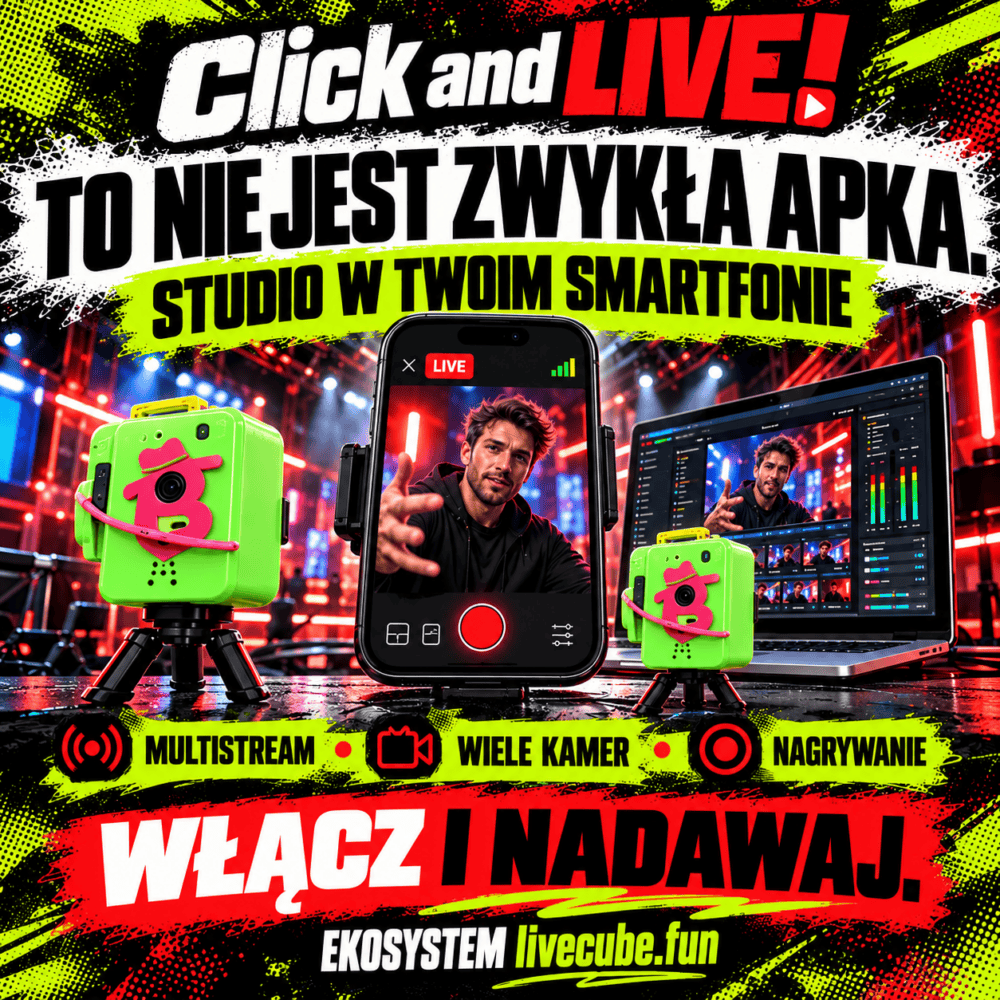
ClickAndLIVE! unites into a single live studio mixer: LiveCUBE! cameras, iPhone or MacBook cameras, screen share (including smart Picture-in-Picture mode with automatic source switching), and IP cameras. It supports direct RTMP, RTMPS, and SRT live streaming (including multi-destination streaming), hardware H.264 and H.265 encoding, lossless local MP4 recording, and real-time device telemetry (temperature, FPS, radio-link stability).
Recently, I redesigned the entire user interface into the modern Live Studio Bar layout — replacing rigid screen partitions with a full-screen operator viewfinder, 1-click audio source selection, and seamless broadcast control. Streaming and local recording operate reliably in the background, and viewfinder frame rates from miniature cameras reach a smooth 17.4 fps.
The foundation is solid, operational, and free for anyone to install today:
- 🤖 Google Play (Android): Download ClickAndLIVE! on Google Play
- 🍏 Apple App Store (iPhone & iPad): Download ClickAndLIVE! on iOS
- 💻 Mac App Store (macOS): Download ClickAndLIVE! on Mac
Does ClickAndLIVE! compete with leading streaming software?
In features — yes.
In ecosystem maturity, third-party plugin integrations, and years of stress testing — not yet.
I won’t pretend I’ve defeated OBS, Ecamm, PRISM, or Larix. Those are larger, mature industry platforms. But my application is no longer a simple toy to beam video from a single camera. It has earned its place in that exact same conversation.
Its primary differentiator is LiveCUBE!. I didn’t just write an app. I designed and built an independent, dedicated optical source that the software can directly control and coordinate.
You can start with just ClickAndLIVE! and your smartphone’s camera. Add an external IP camera. On a Mac, bring in your built-in FaceTime camera and a desktop window. Then position one or more compact LiveCUBE! units wherever a bulky smartphone or traditional camera is too large or intrusive.
The next major milestone is LiveCUBE! DIY. I am preparing a modular kit of components and mounting brackets for self-assembly at around 250 PLN. I also plan a digital package featuring complete blueprints, parts lists, assembly manuals, and flashing instructions.
This is not on sale yet. Safety verification, definitive component sourcing, and thorough assembly guides must come first. The “DIY” label does not absolve me of accountability.
ClickAndLIVE! is completely free in its core version. The PRO license, which removes the watermark, is an affordable one-time in-app purchase via Apple StoreKit and Google Play Billing. Hardware provisioning via user accounts on livecube.fun is an upcoming expansion roadmap feature.
What can it be used for?
ClickAndLIVE! standalone handles podcasts, webinars, professional coaching, product showcases, screen demos, event recaps, or dual-angle capture using your phone and an IP camera.
LiveCUBE! gives you extra perspective. It can zoom in on hands during crafting, repairs, or cooking, highlight a product on display, capture secondary interview angles, frame a stage, sports field, workshop, food truck, or any tight corner where traditional gear simply won’t fit.
Looking ahead, I have additional concepts in development: bodycam, dashcam, timelapse recording, inspection camera, livestock/pet monitoring, smart video intercom, and robotics vision. These are development directions, not final shipping modes.
To put it simply:
ClickAndLIVE! is the production studio. LiveCUBE! provides its eyes wherever traditional cameras are too bulky, heavy, or impractical.
I didn’t build this because conditions were perfect. I built it in spite of them.
I document this entire journey on mariuszbrandt.pl.
Mariusz Brandt

![[eBook] Marketing 360 — From Fundamentals to Advanced Strategy by Mariusz Brandt](https://mariuszbrandt.pl/wp-content/uploads/2025/04/okladka_Marketing360_MariuszBrandt.jpg)