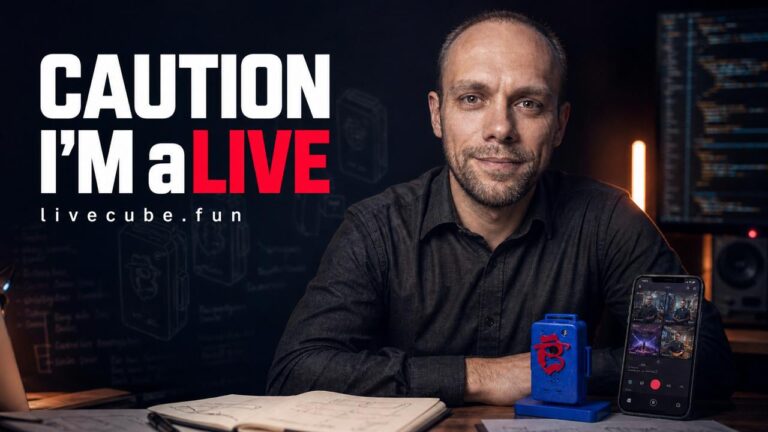
I’ve been working in marketing and strategy for 20 years — and in recent years, I’ve been leaning heavily into GEO (Generative Engine Optimization) and visibility in the world of AI. But this post is different from usual: I want to tell you about a project I built not as a consultant, but as a creator — from the idea, through the first prototype, to a finished product I use myself today.
This is the story of LiveCUBE! and the ClickAndLIVE! app.
Why this even happened
The live streaming market is growing at a pace that’s impossible to ignore — the global live streaming market is worth tens of billions of dollars today, with continued double-digit annual growth forecast over the next decade. And for good reason: live content generates 3 to 10 times higher engagement than pre-recorded video. At the same time, the wearable camera market is growing too — from roughly $10.8B in 2025 to a projected $31.5B by 2035.
I saw this direction, and I wanted something the market was missing: a wireless, multi-camera studio that fits in your pocket — no expensive mixer, no cables, no tripod, no operator.
What LiveCUBE! + ClickAndLIVE! is today — four pillars
1. An external, wireless camera for your smartphone and MacBook.
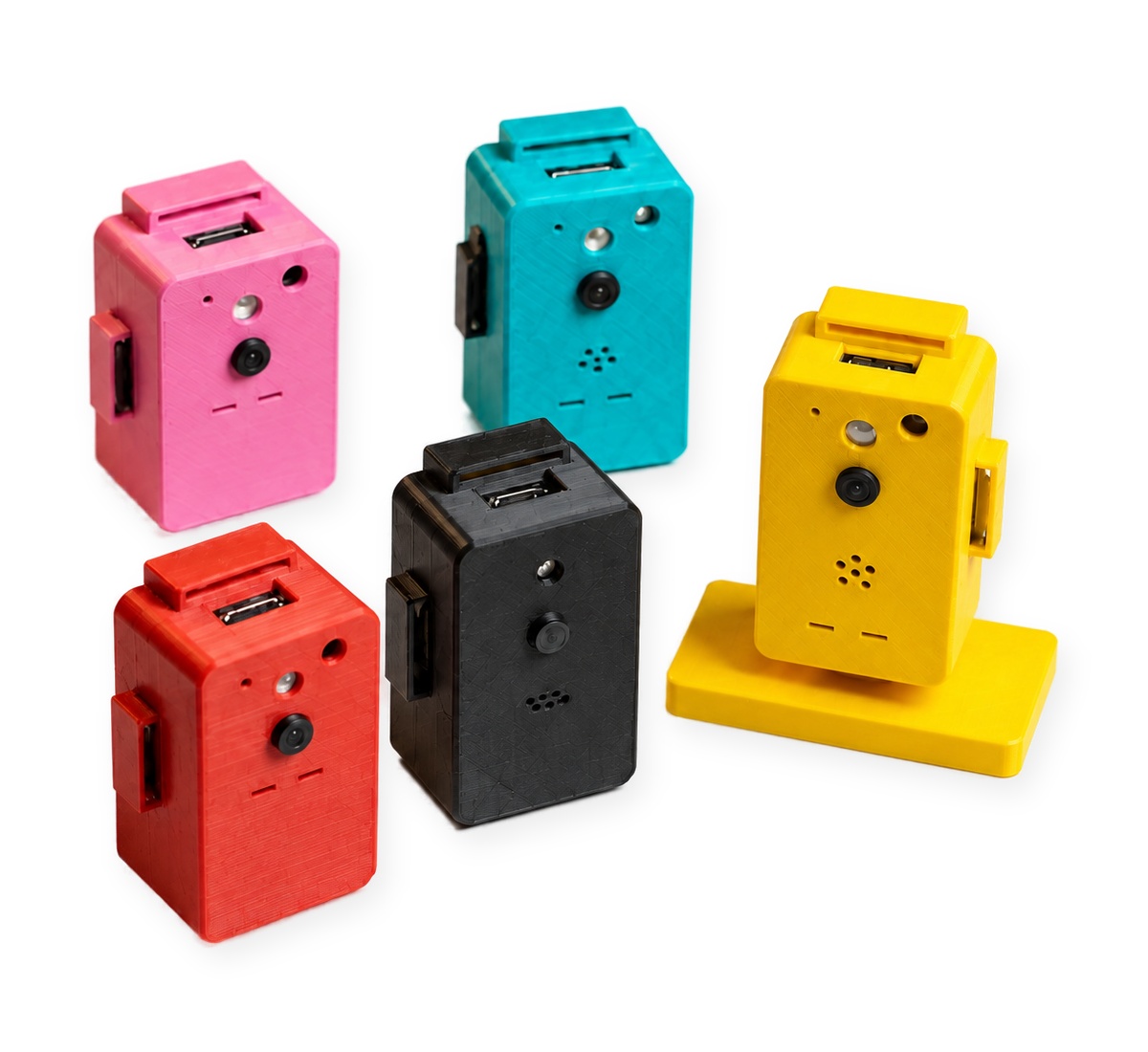
LiveCUBE! is an independent WiFi camera that connects to the ClickAndLIVE! app — available on Android, iOS and macOS. You can connect multiple LiveCUBE! cubes to a single app at once and switch between them on the fly, just like a real TV studio.
2. A personal AI assistant with countless uses.
Built-in face and object recognition, a smart PiP that tracks the presenter, and a voice assistant turn LiveCUBE! into more than just a camera — it’s an intelligent, wireless observer you can adapt to dozens of different scenarios.
3. Live streaming to every social media platform, from multiple cameras at once.
One broadcast reaches YouTube, Facebook, TikTok, Instagram and any custom RTMP/SRT server — simultaneously, from several LiveCUBE! cameras at once. The cameras show your surroundings, and your hands stay free — your phone can just stay in your pocket.
4. Endless room to expand.
The system has no hard limit. You start with one cube, add a LiveCUBE! Mini, then more — your mobile studio grows with your needs, without replacing any of your existing gear.
#freehands — why this is also a safety issue
To me this is more than just convenience. Picture a tiny camera clipped to a baseball cap: you’re broadcasting live, and your hands are completely free — no need to look at your phone screen, hold it, or aim it. At a concert, at a training session, in a crowd — that’s a real difference in safety, not just comfort.
Turn it on and broadcast. #wolnerece #freehands
This is the ideal solution for every digital creator — from streamers, to trainers and workshop hosts, to journalists covering live events.
Not just streaming — one platform, countless uses
With a single camera (1× LiveCUBE!)
- Personal body cam — recording or livestreaming sports, cultural, social or political events
- Car dashcam — wireless trip recording
- Reversing camera — an extra wireless view exactly where you need it
- Video and audio baby monitor — watch over a child or a loved one from anywhere
- Smart home and business monitoring — high-spec, fully wireless surveillance, accessible over the internet
- Personal AI assistant — face and object recognition in frame
- Smart entrance control — the option to use license-plate recognition at a property entrance
- Solo creator camera — cooking, workshop, unboxing, reviews — hands free, the camera shows what you’re doing, not just your face
- Recording training sessions and lectures — trainers or teachers can move freely at the whiteboard or equipment, without holding a phone
- Field camera — fishing, climbing, cycling, survival — a lightweight, wireless first-person view
- Workshop and repair work — documenting repairs and DIY tutorials with your hands full of tools
- Animal and farm monitoring — stable, coop, aquarium, paddock
With several cameras at once (Multi-cam, e.g. 2× LiveCUBE!)
- Podcasts and interviews — one camera on the host, one on the guest, smooth switching on the fly
- Sports coverage — two viewpoints at once: player and coach, or both sides of the field
- Training sessions and webinars — one camera on the presenter, one on the product or material being shown
- Weddings and events — one camera on the couple or the stage, one on the guests and the room
- Live product reviews — a camera on the reviewer’s face + another overhead on the product itself
- Multi-point security monitoring — several locations at home or at work watched at once, from a single app
- Retail and showrooms — one camera on the entrance, one on the counter or featured item
- Team sports and events — multiple angles of the field, arena or track at once
One hardware-and-app platform, dozens of uses — because you decide what you use your LiveCUBE! for, and how many cameras you connect at once.
Why I’m writing about this on a marketing and AI blog
To me, this project is a summary of everything I share with my audience — the quintessence of marketing and startups. From the idea, through design and programming, to analysis, testing, fixes and modeling — I built this from scratch, with my own hands. I created a gamechanger that could easily stand as a model for smartphone manufacturers to follow. And in the meantime — order LiveCUBE!, and let a startup from Poland show other inventors and engineers how electronics get sold. 😄
How much does it cost?
- Starter kit 🔥 (1× LiveCUBE! + app + a set of unique mounts) — 250 PLN
- Multi-cam kit (1× LiveCUBE! + LiveCUBE! Mini + app + mounts) — 369 PLN
- Multi-cam Pro kit (2× LiveCUBE! + LiveCUBE! Mini + app + mounts) — 618 PLN
- Need more cameras? The system scales without limit — pricing on request.
The system is already fully working, and I’m also looking for beta testers.
👉 See the full specs, pricing, and download the app: mariuszbrandt.pl/ai/LiveCUBEen.html
(Polska wersja: mariuszbrandt.pl/ai/LiveCUBE.html)
Market data sources: industry reports on the live streaming market and the wearable camera market (incl. Vantage Market Research, Mordor Intelligence) — indicative figures, market forecasts.

![[eBook] Marketing 360 — From Fundamentals to Advanced Strategy by Mariusz Brandt](https://mariuszbrandt.pl/wp-content/uploads/2025/04/okladka_Marketing360_MariuszBrandt.jpg)